 agent-kay
What bkit is, in one paragraph
bkit is a
Claude Code plugin. It adds a method on top of CC: 39 Skills, 36
Agents, 21 hook events, 2 MCP servers, and a PDCA (Plan-Do-Check-Act)
state machine with 20 guarded steps. It's not a rewrite of Claude
Code or a swap-in for it. You install it with
/plugin install bkit, and it hooks into every spot CC already
opens up for plugins. The source is on GitHub. If you think the
workflow around a model matters more than the model itself, bkit
is one opinionated way to build that workflow.
The short version: you type /pdca plan user-auth instead of
"please write a plan for user auth." From there, every phase becomes
a state move with rules to pass — not a free-text prompt.
The four building blocks
bkit is built from four parts CC already knows about. bkit just glues them into a method, not raw parts.
Skills are reusable prompts you call as slash commands. Each one
has a trigger word list (multilingual), a phase gate (which PDCA
step it belongs to), and a list of allowed tools. /pdca,
/control, /enterprise, /starter, /dynamic are all skills. A
skill's frontmatter spells out its interface:
---
name: pdca
triggers: [pdca, plan, design, analyze, report, 계획, 설계]
allowedTools: [Read, Write, Edit, Bash, Task]
classification: Workflow
phaseGate: all
---Agents are role-based subagents, each tied to its own model.
cto-lead runs on Opus for design calls. gap-detector runs on
Sonnet for cheap, fast comparisons. code-analyzer is read-only.
Each agent sets its own memory scope, max turns, and blocked tools.
So "review the design" and "critique the implementation" aren't the
same model call with different prompts. They're different agents
with different powers and costs.
Hooks catch lifecycle events. 21 events across 6 layers:
SessionStart, PreToolUse, PostToolUse, UserPromptSubmit,
TaskCompleted, PreCompact, and more. bkit uses hooks to inject
context (so every session starts knowing the PDCA state), to log
audits, to block destructive commands, and to count tokens.
MCP servers (two of them) hand the model structured tools so it
doesn't have to remember state on its own. bkit-pdca offers
bkit_pdca_status, bkit_plan_read, bkit_design_read,
bkit_metrics_get. bkit-analysis offers bkit_gap_analysis,
bkit_code_quality, bkit_regression_rules. They read from real
files in .bkit/state/, so closing a session never loses the PDCA
state.
The mix is what makes it work. Skills are the verbs, agents do the work, hooks guard the edges, and MCP servers save state. No single piece is fancy. The win is in how they fit.
Install and first run
Once you have Claude Code installed:
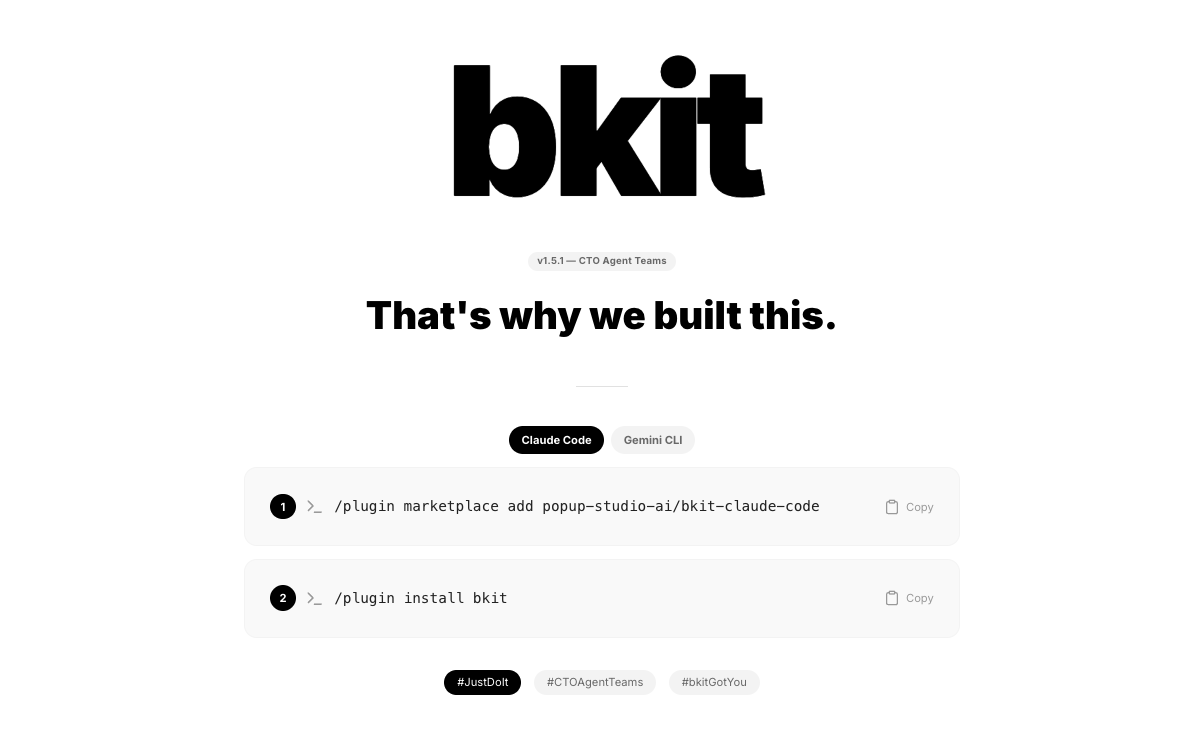
/plugin marketplace add popup-studio-ai/bkit-claude-code
/plugin install bkit
/output-style bkit-learningThree commands. The first signs up bkit's marketplace source. The
second installs the plugin (Skills, Agents, Hooks, MCP servers, and
output styles — all wired at once). The third picks an output style
that teaches you as you go. Four output styles ship with bkit:
bkit-learning, bkit-pdca-guide, bkit-enterprise, and
bkit-pdca-enterprise. bkit-learning is the gentle one, best for
your first project.
After install, /bkit help lists what you have. A typical session
opens with bkit pushing the current PDCA state into context via the
SessionStart hook. Claude knows where you were on which feature
without you retyping it.
The PDCA state machine in action
The main user command is /pdca. It moves a single feature through
seven phases. Each step has its own rules to pass:
/pdca pm user-auth         # requirements -> PRD
/pdca plan user-auth       # plan doc with acceptance criteria
/pdca design user-auth     # 3 architectural arcs; pick one
/pdca do user-auth         # implementation guided by the design
/pdca analyze user-auth    # gap-detector: design vs impl match-rate
/pdca iterate user-auth    # auto-fix until match-rate >= 90%
/pdca report user-auth # completion doc with metricsAt each phase, bkit writes a doc to disk:
docs/00-pm/user-auth.prd.md,
docs/01-plan/user-auth.plan.md,
docs/02-design/user-auth.design.md, and so on. These docs aren't
throwaway. They're the ground truth that later phases read. When
/pdca analyze runs, it really does diff the design doc against
the code diff and produce a match rate.
Along the way, you hit five small checkpoints. Each one pauses for a clear question:
- CP1 (after PM): do the requirements match what you meant?
- CP2 (after plan): do the acceptance criteria look right?
- CP3 (after design): three arcs drafted — which one?
- CP4 (before do): does the scope fit the design?
- CP5 (after analyze): ship, iterate, or rework the design?
The checkpoints are the human-in-the-loop safety valve. You don't get steamrolled. You get asked. At L0 or L1, every checkpoint is required. At L2 and up, the routine ones auto-confirm and only the key ones still ask you.
For a first-time user, the full flow on a small feature takes about ten minutes of typing and fifteen of the agent doing real work. Out the other side: four documents, working code, and metrics. Not just code.
Quality gates and auto-iterate
The key agent in this loop is gap-detector. When /pdca analyze
runs, it does this:
- Reads the design doc (
docs/02-design/user-auth.design.md). - Walks the code diff for the feature.
- Lines up the design intent against the code reality.
- Outputs a match rate (0–100%) and a list of specific gaps.
The bar is 90%. Below that, /pdca iterate kicks off a loop: read
the gaps, patch each one with an implementation agent, re-run
gap-detector, repeat. The loop is capped at five tries. If it still
fails after five, bkit stops and asks a human. It will not silently
ship a 60% match.
This is the Evaluator-Optimizer pattern from the multi-agent playbook: two roles, the maker and the critic, where the critic has a clear spec (the design doc) to compare against. The reason this beats one bigger model is plain — most failure modes come from the maker forgetting some constraint the design doc spelled out. A second pass that says "you never wired the rate limiter" is cheaper than a smarter one-shot.
The same gap-detector idea shows up in bkit_regression_rules.
Eight modules in the cc-regression library detect re-introduced bugs
after a CC or model upgrade. Same idea, different target.
L0–L4 automation and the trust score
One bkit detail that surprises new users: the automation level. Your current level shows at the top of every session. You can check it any time:
/control status
# Level: L2 (Semi-Auto)
# Trust Score: 0.78 (23 PDCA cycles, 91% avg match-rate)
# Routine transitions auto · key decisions gated
# Next escalation: L3 available at Trust Score >= 0.85The five levels:
- L0 Manual — every action needs explicit approval. Good for a first session when you don't trust the agent yet.
- L1 Guided — routine actions go through; every checkpoint is required.
- L2 Semi-Auto (default) — routine checkpoints auto-confirm; key ones (CP3 design pick, CP5 ship/iterate/rework) still ask you.
- L3 Auto — most steps run on their own; only destructive ops and level changes ask you.
- L4 Full-Auto — fully on its own. Save this for well-scoped features where the loop has worked for you again and again.
You don't get to graduate for free. The trust score is a weighted score of your track record: completed cycles, average match rate, destructive ops, interrupt count. It climbs slowly and has a cooldown, so a lucky streak doesn't unlock auto mode before the system has watched you work.
/control level 3 moves you up. /control level 0 always works as
a panic brake. The point: trust is earned per project, not flipped
on once in a global config.
Extending bkit + when to use it
Everything in bkit can be overridden. Drop a pdca.skill.md into
.claude/skills/ in your project, and bkit's priority chain picks
yours first. Order:
| Priority | Location | Role |
|---|---|---|
| 1 (highest) | .claude/skills/*.skill.md | project override — repo-committed, team-shared |
| 2 | ~/.claude/skills/*.skill.md | user defaults — personal, cross-project |
| 3 (lowest) | {plugin}/skills/*/SKILL.md | bkit shipped defaults |
The same chain works for agents, hooks, templates, and output
styles. You can ship a team-tuned qa-lead with your own KPIs, or
swap out cto-lead for good. The skill-create command walks you
through writing a new skill step by step.
pm-lead-skill-patch is an example of a non-invasive add-on — it
hooks into pm-lead's Phase 4 without editing the upstream file.
So when do you reach for bkit instead of raw Claude Code? A rough guide:
- Small scripts or one-off fixes — raw CC is fine. PDCA isn't worth it for a ten-line change.
- Anything with a design intent you might forget by Thursday — bkit starts paying off at the design doc.
- Features that touch many files or need review — gap-detector is where the real win lives.
- Team projects — the saved
docs/artifacts (PRD, plan, design, report) become shared ground truth, not private chat logs that vanish when you close the window.
The five-line summary:
- bkit is a Claude Code plugin that builds PDCA, quality gates, and graduated automation into reusable commands.
- Install is three commands. The first session teaches itself via
the
bkit-learningoutput style. - The
/pdcaflow takes one feature from requirements to done with documents at every step. gap-detectorplus a 90% match-rate plus max-five iterate is the core quality loop.- L0–L4 automation lets you earn trust per project, not flip a global switch.
If Article 1 said the
workflow beats the model choice, this post is the concrete shape of
that workflow. Install it, run one /pdca cycle on something
small, and decide for yourself whether the method layer pays off.
Terms used in this post
PDCA — Plan, Do, Check, Act. A four-step cycle for getting things right on the second pass instead of the tenth.
Skill — A bkit-flavored slash command. Reusable prompt with a trigger list, allowed tools, and a phase gate.
Agent — A subagent with a role, its own model, and its own memory. bkit ships 36 of them.
Hook — Code that runs at a lifecycle event (SessionStart,
PreToolUse, etc). bkit uses hooks for context, audits, and
blocking risky commands.
MCP server — A small server that gives the model structured tools to call. bkit's two MCP servers expose PDCA state and analysis results.
State machine — A system with a fixed set of states and clear rules for moving between them. bkit's PDCA flow is one — seven phases, 20 guarded moves.
Gap-detector — A bkit agent that diffs the design doc against the code and reports a match rate plus a list of specific gaps.
Match rate — How well the code matches the design doc. 0–100%. Below 90%, iterate.
Trust score — A 0–1 number based on your track record. Drives the L0–L4 automation level.
Harness engineering — The work of building the loop a model lives inside — context, tools, state, retries — instead of just tuning the prompt.
FAQ
Can I use bkit without knowing PDCA first?
Yes. The bkit-learning output style guides you through each phase on demand. You learn PDCA by running /pdca pm, /pdca plan, /pdca design in order — the state machine makes the methodology concrete rather than abstract.
Does bkit work with models other than Claude?
bkit is a Claude Code plugin, so it runs wherever CC runs. Individual agents can pick their own model (opus, sonnet, or haiku) to balance cost and capability per role, but the surrounding harness is CC-specific.
How is '/pdca plan' different from writing plan.md manually?
Manual plan.md has no state machine, no gap-detector comparing design to implementation, no automated iterate loop, and no trust-graduated automation. bkit encodes all of these so you do not re-invent them per project, and so every phase has a durable artifact on disk.
Related reading: